Payroll —
Higo (by Payana)
Higo is a B2B payments platform for Mexican businesses that centralizes supplier payments and expense management — replacing manual spreadsheets and bank layouts with a single, automated financial operations tool.
- Date
- Q3 2024
- Role
- Sr. Product Designer
- Scope
- UX Research, UX/UI Design
- Team
- PM / 1 Full Stack
- Tools
- Figma, Amplitude, Notion
- Status
- In Production
The Context
In April 2024, Payana — the B2B payments platform where I worked — acquired Higo, a similar solution operating in Mexico. My job was to start aligning both products and experiences. Payroll already existed in Payana. Higo had the user base, but the feature needed to be built for their context from scratch — understanding a different market, different tools, and different user expectations.
The Problem
Before designing anything, we ran discovery interviews with Higo users to understand how they currently handled payroll. The findings were immediate — and they defined the scope of everything we built.
We interviewed 11 customers to identify the top problems
Most users weren't looking for a full payroll management platform. They already had tools for that — Runa, OSMOS, ASPEL — handling the complex stuff: vacation pay, bonuses, social security, tax filing. What they needed was a reliable, clear, fast way to disperse the payments. That was it.
But "just dispersing payments" turned out to be more nuanced than it sounds. The interviews surfaced specific, concrete problems:
— Payments failed silently — users only found out when an employee complained
— There was no way to customize the payment concept per employee — the description that appeared on the employee's bank statement was generic or missing, creating confusion
— Payment cycles weren't clearly labeled — users needed to distinguish first and second fortnightly payments without ambiguity
— Layouts from their payroll software didn't map cleanly to what their bank expected, creating manual reconciliation work every cycle
Their current process
“They upload a layout to their bank — it works, but it’s slow and only runs on business days before 1pm.”
— FUNEZA, 300 employees
What they value most
“Speed and immediacy. They don’t want to depend on fixed bank schedules.”
— Jr3 Pack & Ship
The most repeated pain point
“They want to keep dispersing via layout — just simpler, without re-entering the account number every time.”
— Multiple Users
The insight that defined the scope
“They already have payroll software for calculations. What they need is a better way to disperse — not a full payroll tool.”
— Ben and Frank, Caliza
The opportunity
“If the dispersion automatically triggered the receipt stamp, that would be a game changer.”
— Jr3 Pack & Ship, EnviaYA
The Design Challenge
The hardest part of this project wasn't the UI — it was designing within a deliberate scope limitation without making the product feel half-baked.
Higo wasn't going to become a payroll calculator. But users coming from full payroll platforms had expectations shaped by those tools. My approach: don't try to replicate what their existing tools already do well. Make the dispersal experience significantly better than what their bank was offering.
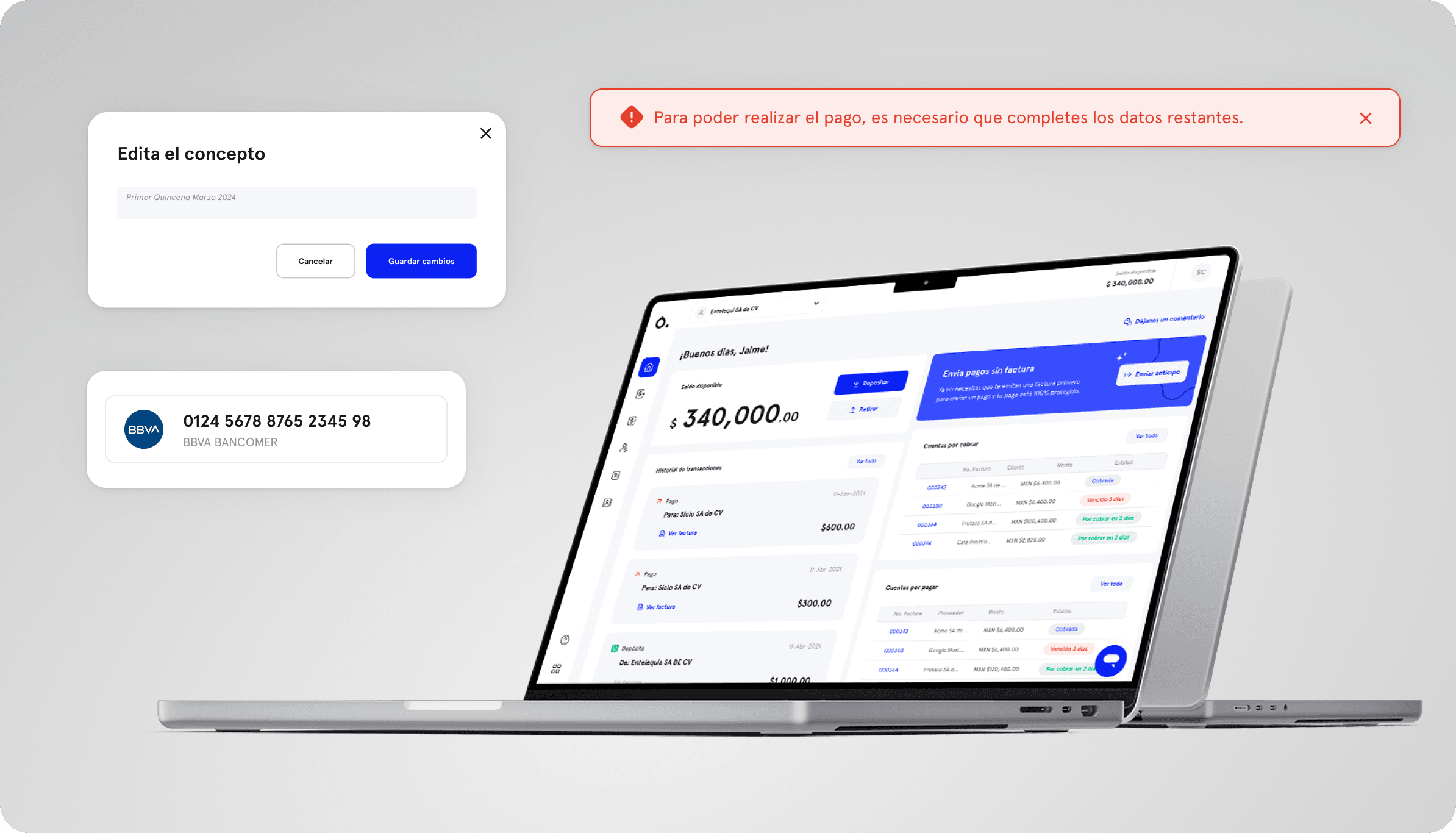
Desktop — Homepage
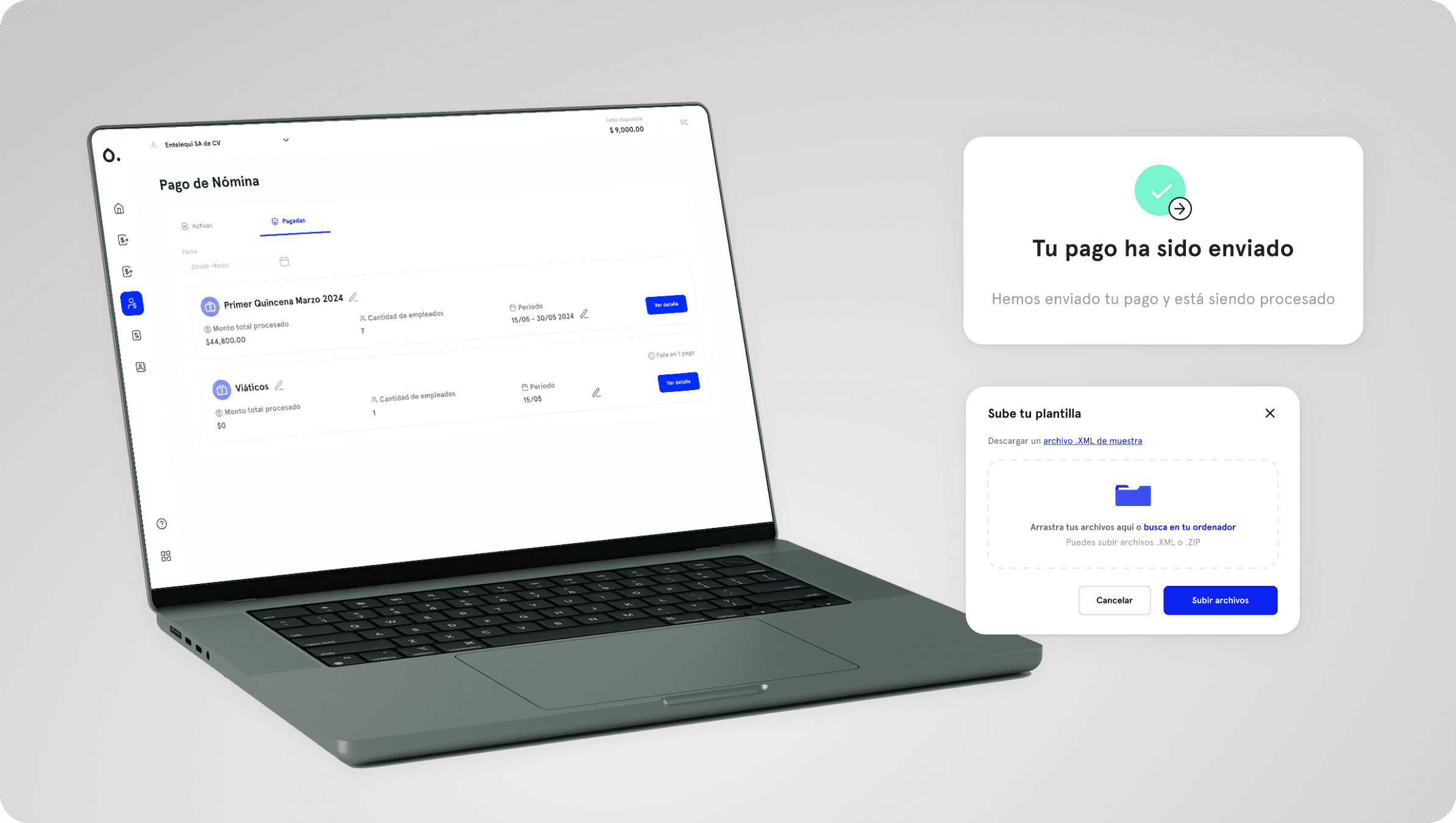
Desktop — Payroll New
Key Design Decisions
Failure visibility at the employee level.
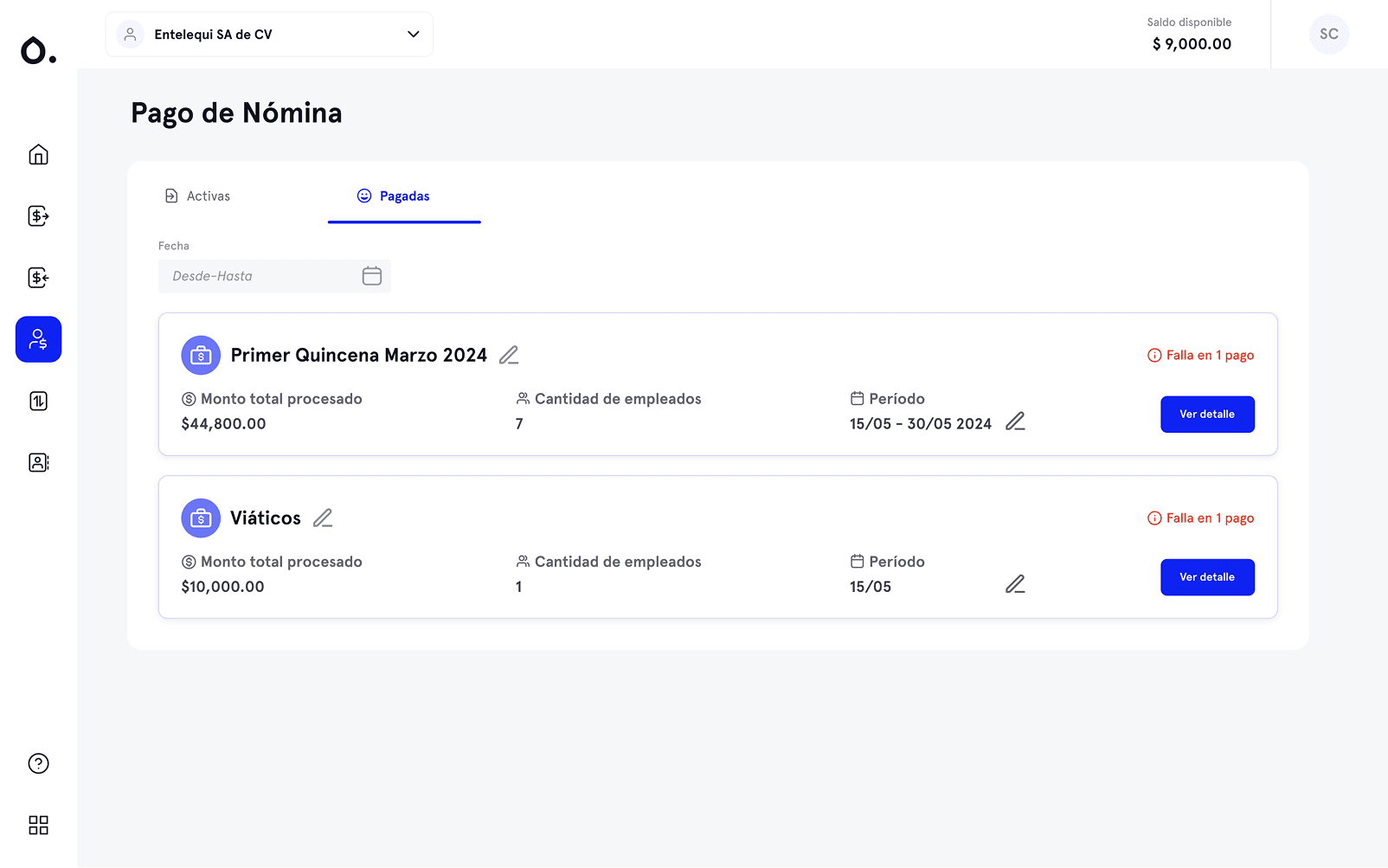
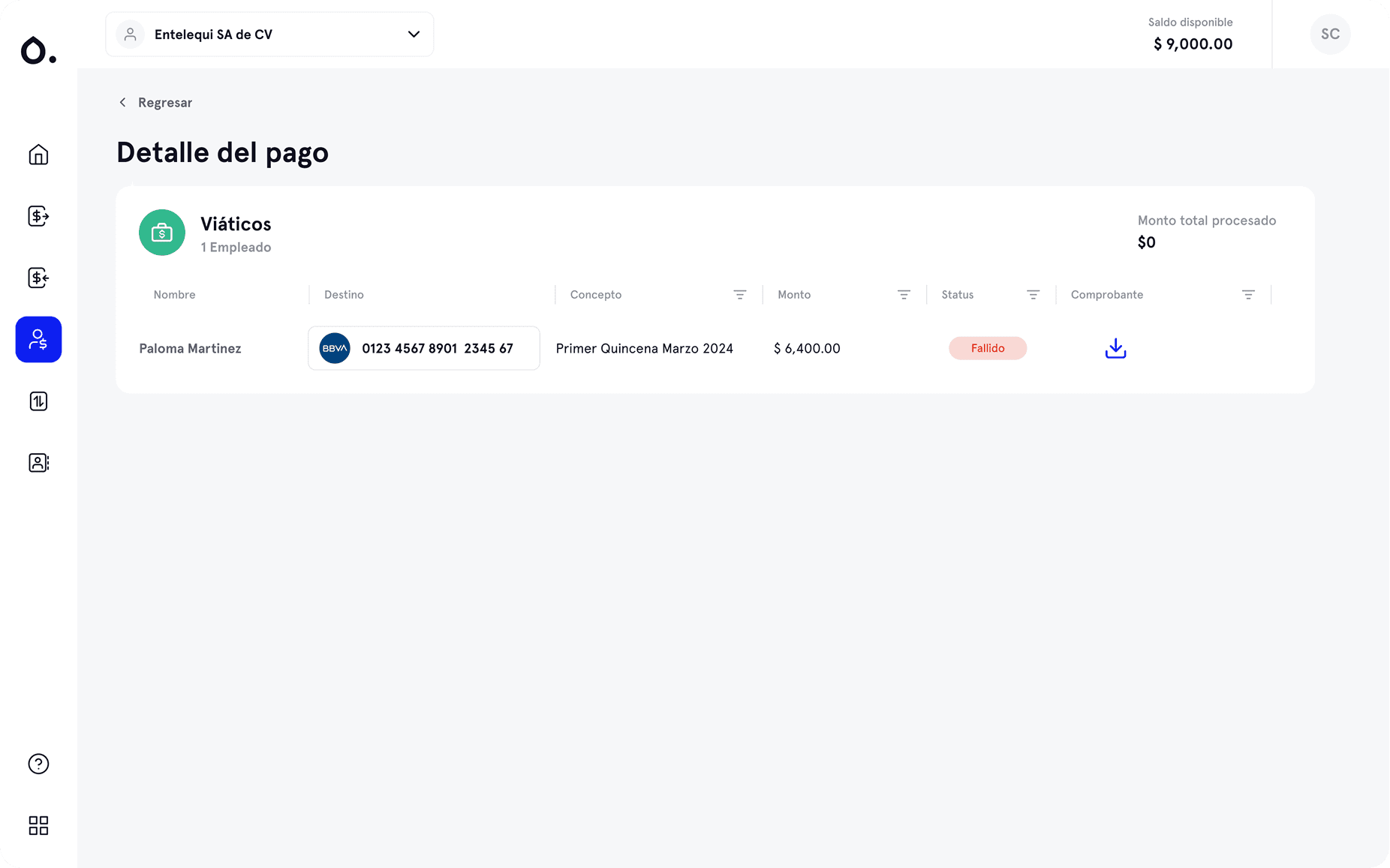
The most operationally significant call. When a batch payment fails for one employee out of forty, the user needs to know immediately — not when that employee calls. The list view shows a “Falla en X pagos” badge directly on the batch card. Opening the detail shows each employee's individual status: Processed or failed, with a download action for the payment receipt. Processing 50 payroll payments, you can see at a glance exactly which ones didn't go through — without opening each record individually.
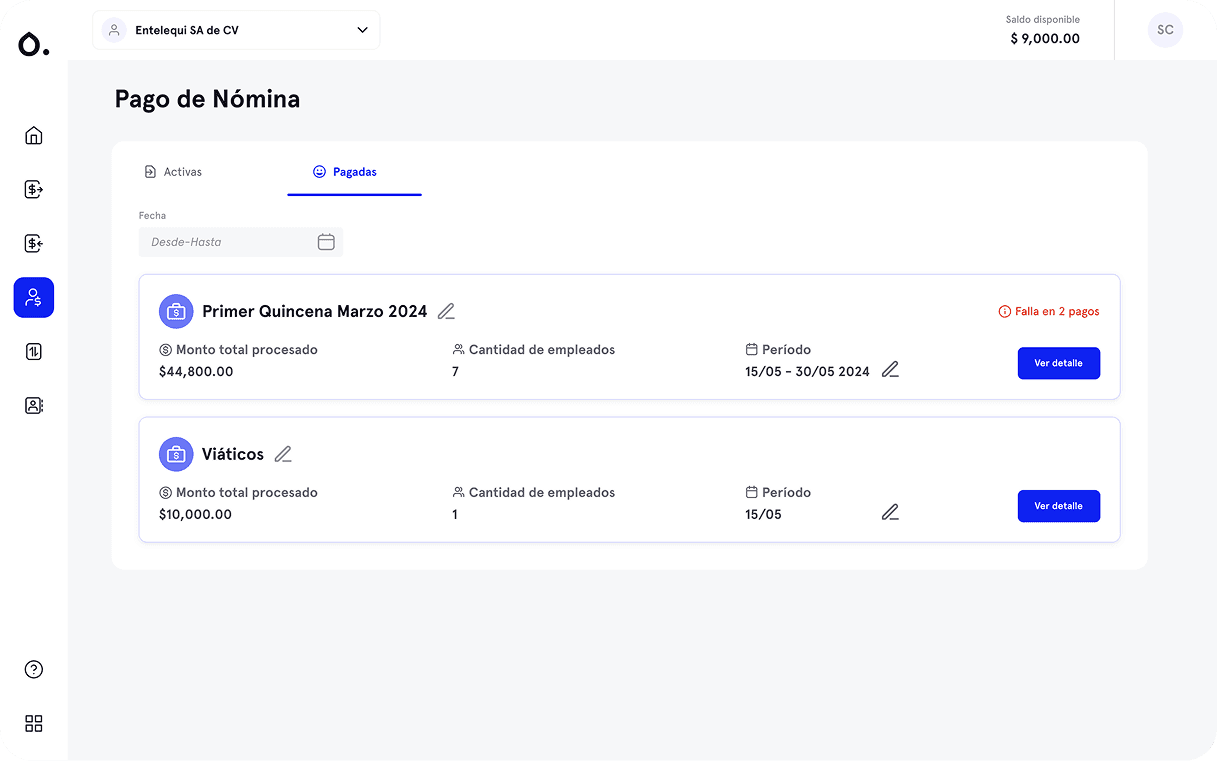
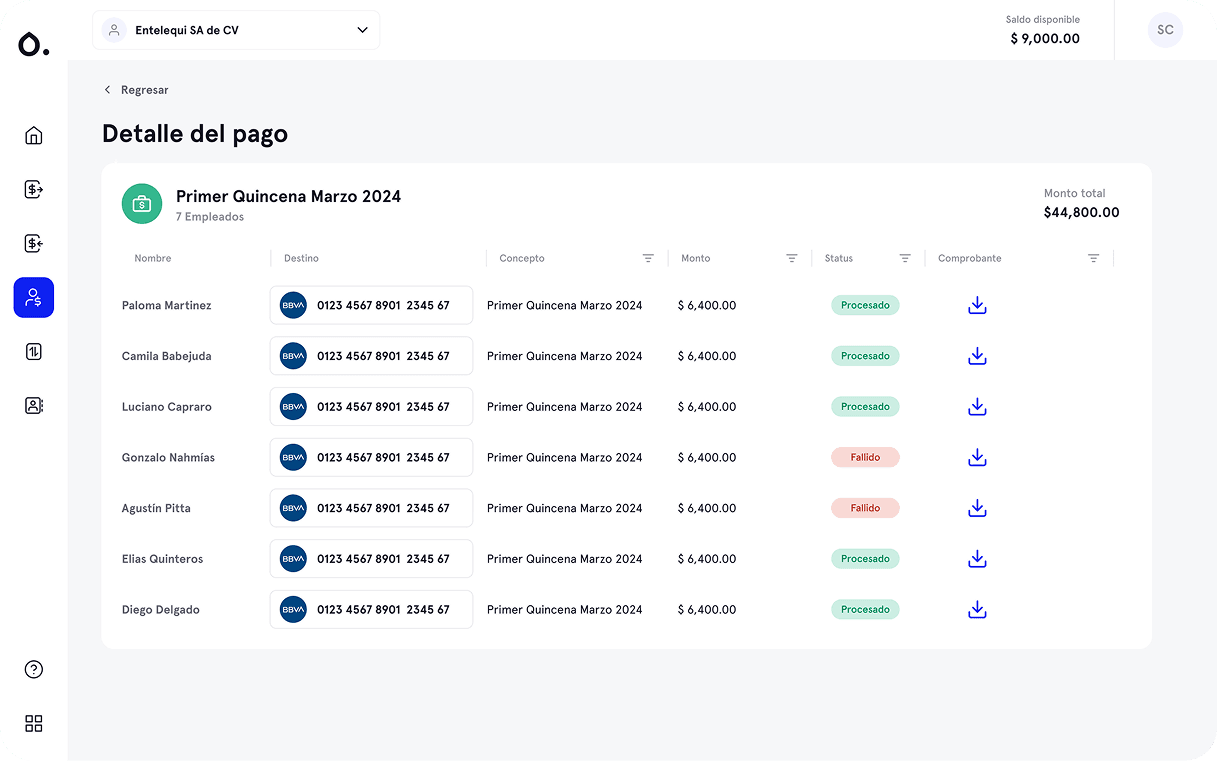
Payroll — When a payment fails
Editable concept and period after payment.
Users needed to label each payment clearly — for their own records and for what appeared on the employee's bank statement. A payment labeled “Primer Quincena Marzo 2024” is immediately recognizable; a generic batch code is not. Inline editing for both the concept and the period, accessible via a simple edit icon directly from the paid list. No need to re-enter the payment flow — edit in place and save.

Clear batch structure with period as a first-class field.
Each batch card shows the concept name, total amount processed, number of employees, and the payment period (e.g. 15/05 – 30/05 2024) as a visible, editable field. Users managing weekly and fortnightly payrolls simultaneously can distinguish them at a glance without opening the detail.
Tabs for active vs. paid payrolls.
Active and paid payrolls in separate tabs — keeps the working view clean and the historical record accessible without cluttering the main screen.
Main Payroll view
What This Case Is Really About
This project is a good example of designing at the intersection of business constraints and user expectations. The product had a defined scope — dispersal, not payroll calculation. My job wasn't to expand that scope. It was to make sure that within it, the experience was genuinely better than what users were getting from their banks: more visibility, more control, less manual reconciliation, and no silent failures.
Payment detail view
What I Learned
Scope limitations are design inputs, not obstacles. Knowing that Higo wasn't going to be a full payroll platform didn't narrow the design space — it focused it. The question shifted from "how do we build payroll?" to "what does a dispersal tool need to do well that banks consistently fail at?"
The most valuable research insight is often the most specific complaint. "The CSV has scientific notation and it breaks every time" is more useful than "the process is complicated." Specificity tells you exactly where to focus.
Silent failures are a trust problem, not just a UX problem. In a payroll context, a payment that fails without notification doesn't just create friction — it damages the relationship between employer and employee. Making failures visible and immediate was the highest-priority decision in the entire design.
Thank you for reading!
Go Back