Dinksmart
DinkSmart is a mobile app for the SoCal pickleball community — a sport that was exploding in popularity but had no good way to organize matches.
- Date
- Q3 2024
- Role
- Product Designer
- Scope
- UX/UI Design, Accessibility, Dev Handoff
- Team
- Design Director (client), Development team, PM
- Tools
- Figma, Jira
- Status
- Productive
The Context
Finding open courts, building groups, and coordinating games was all done manually — group chats, word of mouth. Existing apps were generic. DinkSmart wanted to go further: real-time court availability, player ratings, and the ability to propose and join matches with people you didn't already know.
I joined mid-project, with the visual direction already set and flows partially defined.
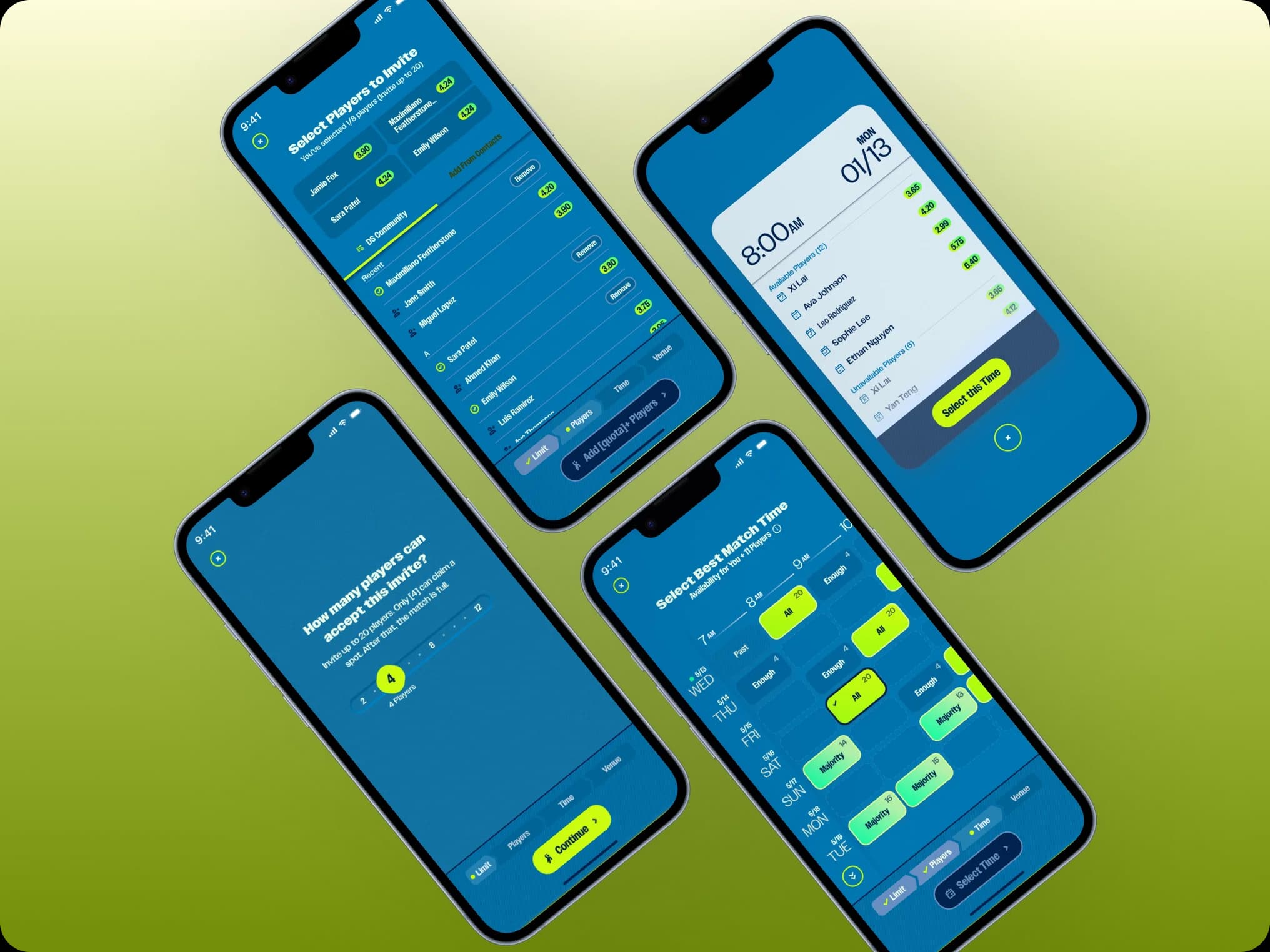
Create a Match
What I Actually Did
I didn't design DinkSmart from scratch. I came in when the visual direction was locked — a high-energy, graphic-design-heavy aesthetic driven by the client's creative director — and the UX was partially resolved. My job was to make it work.
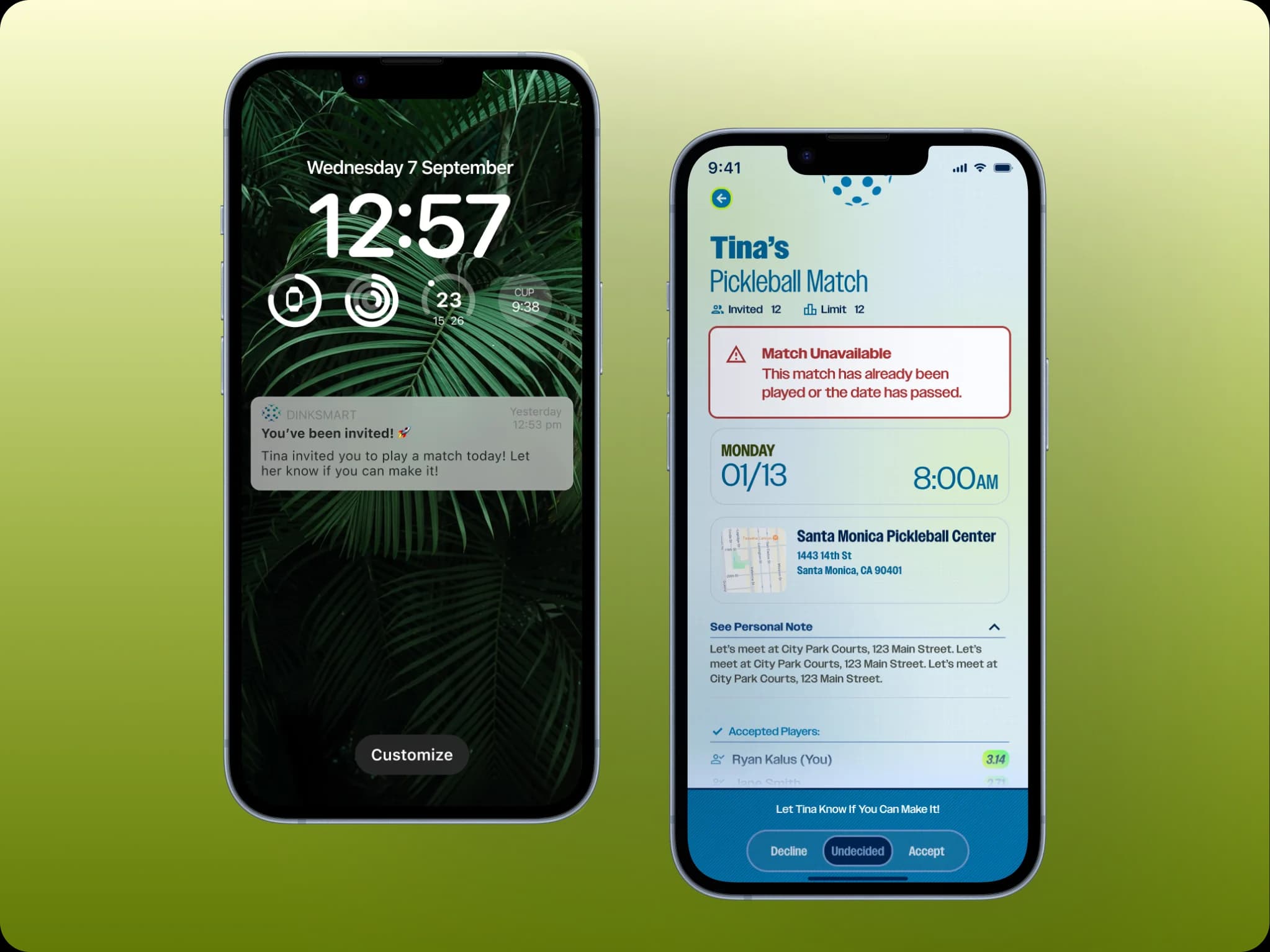
Push notification & Match Unavailable
That meant three things in practice:
Making it buildable. Several design decisions weren't implementable as designed. I worked between design and development to identify what needed to be simplified, restructured, or rebuilt — without losing the visual identity the client had invested in.
Making it accessible. The high-contrast, neon-heavy palette looked striking but failed basic contrast requirements. I pushed for color adjustments that preserved the brand feel while meeting WCAG standards — a conversation that required educating stakeholders on why accessibility isn't negotiable.
Completing and documenting the flows. The "Propose a Match" flow — select players, find a time slot that works for everyone, choose a venue, confirm — was the most complex feature in the product. I documented every state, edge case, and component link in Figma, making the handoff to development precise enough to actually build.
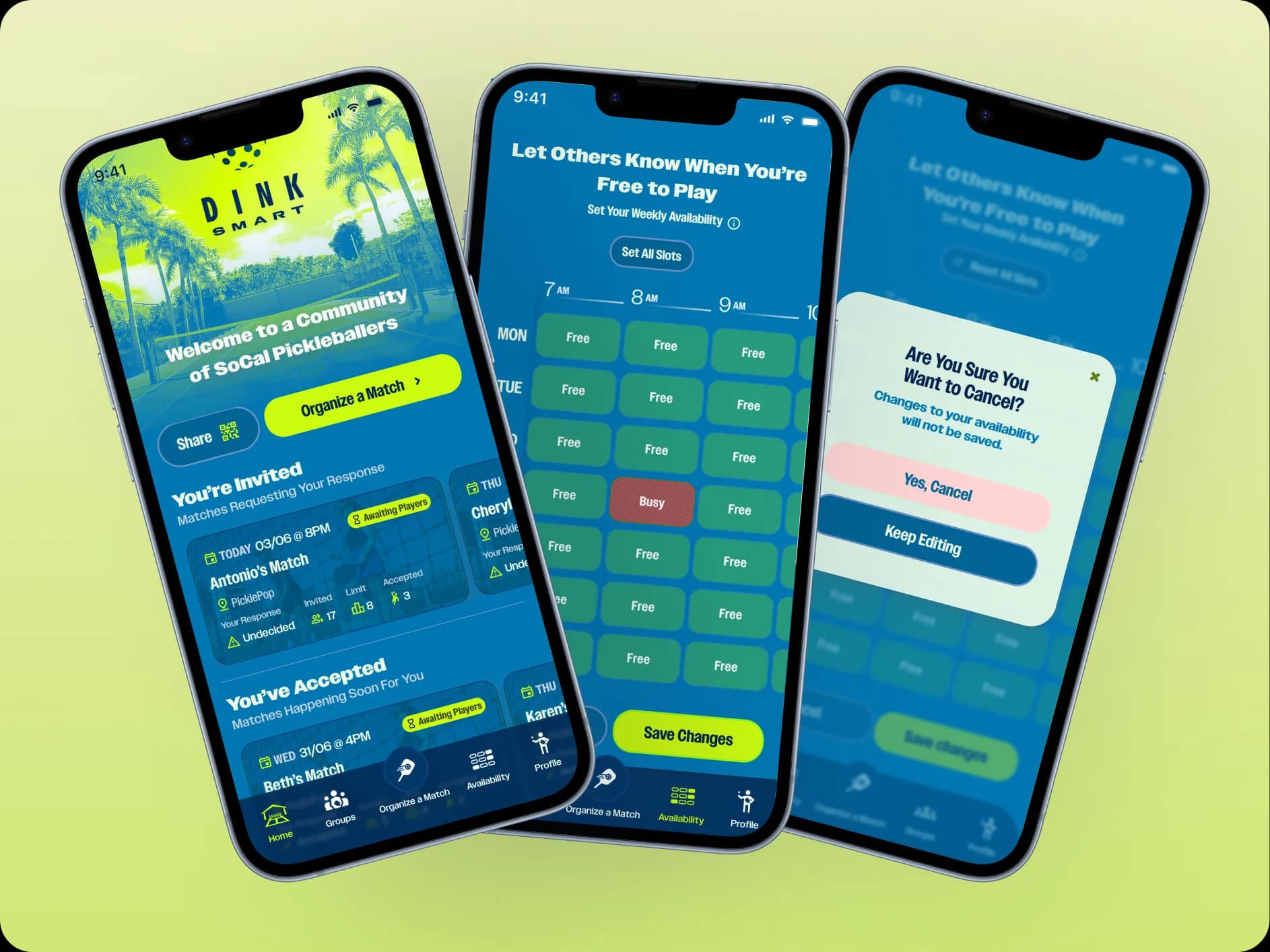
Home Screen, Availability & Cancel Pop Up
The Tension Worth Mentioning
Working alongside a graphic designer who owned the visual identity created a specific kind of friction: graphic design language and product design language are different, and sometimes they conflict. A bold typographic treatment that works on a poster doesn't work in a list view with 12 items. A color that reads as energetic in a hero section fails contrast in a form label.
Navigating that tension — advocating for usability without dismissing the creative vision — was the most valuable skill this project demanded. The goal wasn't to make DinkSmart look generic. It was to make it look like itself and work.
What I Learned
Mid-project is a real constraint, not an excuse. Coming in after decisions are made means working with what exists, not what you'd design from scratch. That takes a different skill set — diagnosis, negotiation, and selective intervention rather than blank-canvas design.
Accessibility is a design argument, not a compliance argument. Framing contrast requirements as "this is the rule" loses the argument. Framing them as "users won't be able to read this in sunlight on a court" wins it.
Thank you for reading!
Go Back